> For the complete documentation index, see [llms.txt](https://docs.transferchain.io/llms.txt). Markdown versions of documentation pages are available by appending `.md` to page URLs; this page is available as [Markdown](https://docs.transferchain.io/core-concepts/cryptography/encryption.md).
# Encryption
Encryption Methodologies in TransferChain
### Hybrid Encryption with AES Algorithm over Zero-Knowledge Architecture
Each user is assigned a unique ID. In order to increase privacy, a different TransferChain Address is generated for every new transaction, unless the user dictates otherwise, such as by appropriate user configuration settings in the TransferChain App, to use an existing address. A particular embodiment for address generation is discussed further below. TransferChain App executable GUI process can be run on the client side to provide a connection between the TC Vault and other apps/storage areas on the client's device.
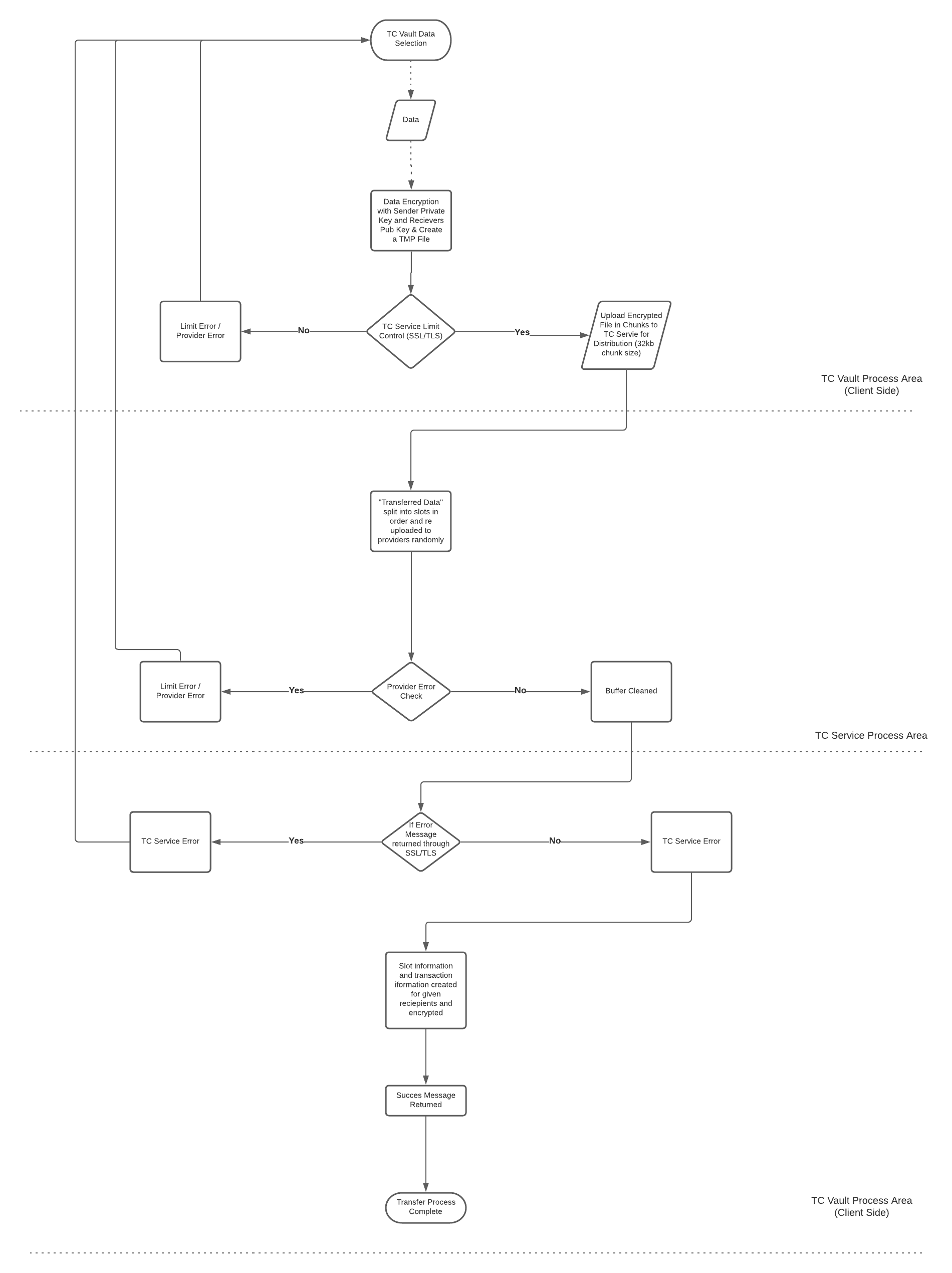
The file to be sent is then encrypted with the sender’s private key and the public key for the receiver. After encryption is done, the file is parsed into chunks and sent to the TransferChain for distribution across multiple storage nodes using the same methodology. When the App receives notice that the file has been successfully stored, slot and transaction information is created for each recipient and made available to the recipients.
### Zero-Knowlegde Architecture
Maintain complete confidentialtiy between you and your recipient.
### Client-Side Key Management
TransferChain does not store or generate any key on the server side, all of the encryption keys are only generated and resided on the client device.
### Encryption at Rest & Encryption in Transit
TransferChain applies different modes of AES algorithms for each data operation handling.
### High Level Diagram
Following Scheme explains how TransferChain works:
### Technical Overview for Data Transfer and Encryption Diagram